

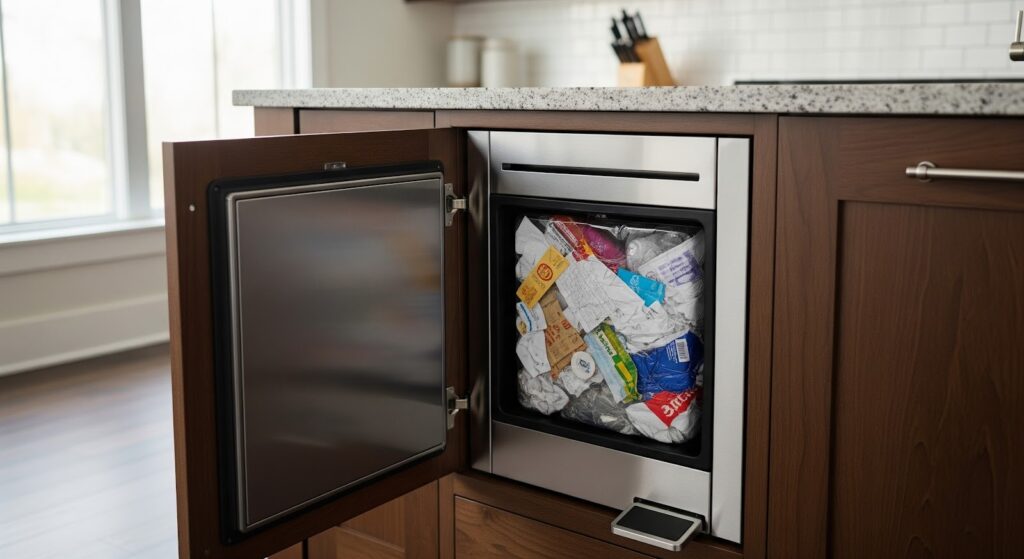
A trash compactor provides a convenient way to manage household waste, but when it stops compacting properly, your daily routine can quickly get disrupted. Fortunately, many of these issues are easy to fix at home. This guide will help you identify and solve the problem safely and effectively.
Common Reasons a Trash Compactor Stops Compacting
When a compactor powers on but fails to compress trash, the problem usually lies in one of a few key areas. Identifying the cause helps you decide whether a simple fix or a replacement part is needed.
- Faulty Start Switch – A damaged or worn start switch may allow power but prevent the motor from running correctly.
- Defective Drawer Safety Switch – The unit might not detect that the drawer is closed, preventing operation.
- Jammed Ram or Tracks – Debris or food waste can block the ram from moving smoothly up or down.
- Broken Drive Belt – A snapped or loose belt means the motor turns without moving the compacting mechanism.
- Malfunctioning Motor – Overheating, wear, or electrical faults may cause the motor to stall during operation.
- Gearbox or Chain Problems – Stripped gears or a misaligned chain can stop motion even though the motor runs.
- Control Panel Faults – Electrical failures in the control assembly may interrupt signals to the compactor’s drive system.
What You’ll Need
Gather these basic tools and materials before you begin:
- Multimeter
- Screwdrivers
- Cleaning supplies
Safety First
Always keep safety at the forefront when working on any appliance. Follow these guidelines to protect yourself and prevent damage:
- Disconnect Power – Unplug the compactor or switch off the circuit breaker before starting any maintenance or repair. This removes the risk of electric shock.
- Allow Cooling Time – Let the appliance cool completely before touching internal parts if it has been used recently.
- Use the Multimeter Safely – Avoid testing live voltage unless you know how to handle it correctly. Incorrect use can cause injury or damage.
- Work Carefully – Move slowly and methodically. Rushing increases the chance of mistakes and accidents.
- Provide Good Lighting – A well-lit workspace helps you see and reach components more easily.
- Keep the Area Clear – Maintain an organized workspace. Remove clutter and keep children and pets away.
- Stay Dry – Never work with wet hands, and make sure the area is completely dry before beginning.
- Consult the Manual – Review your appliance’s user manual for any brand-specific instructions or warnings.
- Handle Parts Gently – Apply only light pressure when removing or adjusting parts to avoid damage.
- Wear Protective Gear – Use insulated gloves to protect your hands from sharp edges and electrical contact.
- Avoid Exposed Wires – When handling wires, use insulated tools or gloves to stay safe.
- Document Connections – Take photos or make notes of wiring terminals before disconnecting them. This makes reassembly much easier.
How to Troubleshoot a Trash Compactor That Isn’t Compacting Properly
Follow these steps to identify and fix common issues that prevent a trash compactor from compressing waste correctly.
Step 1. Check for Blockages or Overloading
- Disconnect the compactor from the power supply.
- Inspect the compaction chamber for blockages, jammed items, or debris.
- Remove any objects that may prevent the ram from moving properly.
- Make sure the compaction chamber is clear and not overloaded.
- Remove excess trash so the ram has enough space to compress waste.
- Follow the manufacturer’s recommended load capacity.
Step 2. Examine the Drive Belt and Chain
- Locate the drive belt connecting the motor to the compaction mechanism.
- Inspect the belt for wear, cracks, or looseness.
- Adjust the belt tension according to the manufacturer’s instructions.
- Replace the drive belt if it is damaged or broken.
- Locate the drive chain and inspect it for wear, looseness, or damage.
- Adjust the chain tension as recommended by the manufacturer.
- Replace the drive chain if it is worn or broken.
Step 3. Inspect the Motor Pulley and Drive Pulley
- Check the motor pulley and drive pulley for looseness or misalignment.
- Tighten any loose set screws or bolts.
- Align the pulleys properly to prevent belt slippage.
- Check the motor for visible damage or blockages.
Step 4. Inspect the Drive Sprocket Roll Pin
- Locate the drive sprocket and check the roll pin that secures it to the drive shaft.
- Replace the roll pin if it is broken or bent.
Step 5. Check the Drive Shaft
- Inspect the drive shaft for damage, wear, or misalignment.
- Confirm the shaft is straight and not bent.
- Replace the drive shaft if it is faulty.
Step 6. Check the Ram
- Inspect the ram (compaction plate) for binding, wear, or damage.
- Verify the ram moves smoothly without obstruction.
- Lubricate the ram if necessary.
- Replace the ram if it is damaged or excessively worn.
Step 7. Test the Compactor
- Reconnect the power supply.
- Run a short compaction cycle.
- Check that the ram moves and compresses trash properly.
- If the issue continues, contact a qualified appliance technician.
Maintenance Tips to Keep Your Compactor Working Smoothly
Regular maintenance reduces breakdowns and extends the life of your appliance. Small habits make a big difference in performance.
- Clean the Interior Weekly – Wipe down the ram, drawer, and sidewalls with mild detergent to remove grease and odor-causing debris.
- Empty the Compactor Bag Regularly – Overfilled bags strain the ram and can cause misalignment or jamming.
- Lubricate Moving Parts – Apply a small amount of light oil to the tracks and hinges to promote smooth motion.
- Check the Power Cord – Look for wear or exposed wires that might cause electrical failure.
- Inspect Seals and Gaskets – Torn or loose gaskets let odors escape and reduce efficiency.
- Avoid Overloading – Keep loads balanced and never exceed the recommended capacity.
- Clean Air Vents – Dust and debris around vents restrict airflow and cause overheating.
- Run the Compactor Occasionally – Even if you do not generate much waste, occasional use keeps the internal parts from stiffening.
Closing Thoughts
A trash compactor might seem like a small part of your kitchen setup, but when it stops working right, it can cause a lot of inconvenience. Luckily, most problems are easier to solve than they look. With a few tools, some patience, and the right steps, you can get your compactor back to doing its job without calling a technician.
Staying on top of simple maintenance goes a long way. Keeping it clean, checking for wear, and avoiding overloads can save you from future breakdowns. It’s also smart to pay attention to how the compactor sounds and moves—small changes often hint at bigger issues that you can fix early.
Taking a little time to care for your trash compactor means it will keep running smoothly for years, making waste management cleaner, quieter, and more convenient every day.