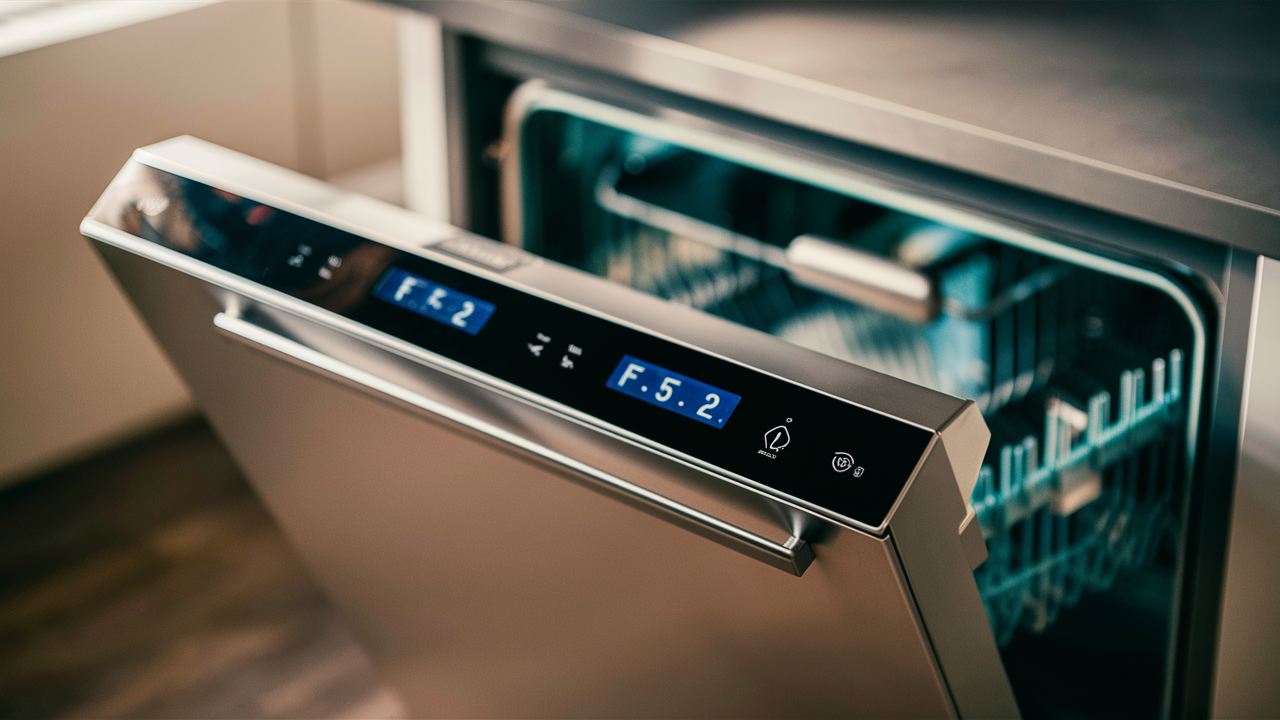
Have an F52 error code flashing on your GE dishwasher? Don’t worry, help is here. This common issue indicates a problem with the turbidity sensor that measures water levels during cycles. Understanding what this sensor does and learning some easy troubleshooting steps will help you determine the cause of the error. Let’s break down what could be causing the F52 code and how to resolve it.
Understanding the F52 Error Code
The F52 error code indicates an issue with the turbidity sensor in your GE dishwasher. Let’s break down what this error code means and how to troubleshoot it.
What is the F52 Error Code?
The F52 display means that your dishwasher cannot calibrate the turbidity sensor. This sensor measures how dirty the water is during a cycle. It helps your dishwasher adjust the cycle time and water usage automatically based on soil levels.
When the F52 code pops up, it means the sensor is not providing accurate readings. As a result, your dishwasher defaults to running longer cycles with more water.
Why Does the F52 Error Happen?
There are a few possible reasons for the F52 fault:
- The turbidity sensor is old and needs replacement
- Electrical surges damaged the sensor
- Dirt or debris clogged the sensor lens
- The sensor is physically cracked or broken
- There is an issue with the control board
Where is the Turbidity Sensor Located?
The turbidity sensor is mounted on the side of the dishwasher sump. It may attach via a twist-lock fitting or be part of the flood float switch. Check your owner’s manual or wiring diagram to find the exact location.
What Causes the Turbidity Sensor to Fail?
Understanding why the turbidity sensor fails can help you prevent issues down the road. Here are the most common causes of problems:
1. Old Age
Like any part, the turbidity sensor gradually wears out over time. The average lifespan is 5-7 years. If your dishwasher is older, the sensor may simply be at the end of its life.
Replacing old sensors is recommended to avoid any future headaches.
2. Electrical Surges
Power surges from electrical storms, accidents, or faulty wiring can damage the delicate electronics in the turbidity sensor.
Using a surge protector is an easy way to avoid surge-related failures.
3. Contamination
Dirt, food debris, and minerals from hard water can clog up the sensor lens over time. This prevents accurate readings.
Regularly cleaning the sensor gently with water and a soft brush can help avoid contamination issues.
4. Physical Damage
Cracks, leaks, and broken parts often occur if the sensor gets bumped or knocked during repairs. Careful handling prevents physical damage.
5. Control Board Problems
Sometimes, the turbidity sensor is fine, but a glitch in the control board corrupts the signal. Swapping in a new control board can resolve this issue.
Being aware of all the things that commonly fail a turbidity sensor allows you to take steps to improve reliability and lifespan. With preventative care, you can help your sensor operate accurately for years to come.
Where is the Turbidity Sensor Located?
Knowing where to find the turbidity sensor in your GE dishwasher model is key for troubleshooting. Here’s an overview of the typical locations:
Mounted on the Sump
In most models, the turbidity sensor is mounted on the side of the plastic sump basin. It sticks out slightly and has a small lens on the end.
The sensor uses the lens to measure the soil levels in the water circulating through the sump during wash cycles.
Secured with a Twist-Lock
The turbidity sensor attaches to the sump via a twist-lock style fitting.
You twist the sensor a quarter turn counterclockwise to unlock and detach it for cleaning or replacement. Twisting clockwise locks it back in place.
Incorporated into Flood Float
Some models integrate the turbidity sensor into the flood float switch.
The flood float has a dual purpose – shut off water flow if the sump overfills and provides turbidity readings.
Check the Manual or Wiring Diagram
It’s always best to consult your owner’s manual or wiring diagram before digging around inside your dishwasher.
The diagrams will show the exact location of the turbidity sensor in your make and model. This saves guessing and prevents accidental damage.
Locating the turbidity sensor is the first key step in diagnosing an F52 error code. Once you find it, inspecting the sensor and connections gets you closer to a fix.
Troubleshooting the F52 Fault
When your GE dishwasher displays the dreaded F52 error, try these systematic troubleshooting steps to fix the issue:
1. Verify the Error Code
Start by confirming the exact error code. Run a short cycle and note the code that appears. Verifying the fault prevents wasted effort chasing the wrong issue.
2. Inspect the Turbidity Sensor
When the power is disconnected, examine the sensor and wiring. Look for loose, corroded, or damaged connections. Check the lens for cracks and dirt buildup.
3. Test Sensor Performance
A multimeter is used to check the sensor’s input voltage from the control board and output voltage from the board. Compare the measurements to manufacturer specs to see if the sensor is operating properly.
4. Attempt Sensor Calibration
Try running the calibration procedure outlined in your owner’s manual. This allows the control board to take a new baseline reading from the turbidity sensor.
5. Replace the Sensor
If the sensor is old or damaged, replacing it with an identical new part from the manufacturer restores normal operation. Make sure to handle it gently!
Preventing Turbidity Sensor Issues
A little preventative care goes a long way towards avoiding turbidity sensor failures. Try these proactive steps:
Use a Surge Protector
Plugging your dishwasher into a whole house or individual surge protector prevents power surges from damaging the sensitive electronics. This reduces the chances of early sensor failure.
Keep the Sensor Lens Clean
Gently wipe down the turbidity sensor lens with a damp cloth or soft-bristle brush to prevent mineral buildup and debris clogs. Just be careful not to apply too much pressure.
Handle Sensors Carefully
When doing repairs inside your dishwasher, be gentle with the turbidity sensor. Don’t bang or touch the lens. Damage can lead to inaccurate readings and faults.
Avoid Overloading with Food
Don’t overload your dishwasher with dishes caked in food debris. Excess soils can clog the pump and spray arms as well as contaminate the turbidity sensor.
Related guides
In Summary
Dealing with appliance error codes can be frustrating, but arming yourself with the right knowledge helps you get to the bottom of issues quickly.
In the case of the GE dishwasher F52 fault, the turbidity sensor needs attention. By understanding what the code means, common causes of failure, sensor location, and systematic troubleshooting steps, you can diagnose and fix this problem.
Key points to remember include:
- The F52 indicates the turbidity sensor cannot calibrate
- Old age, damage, and board issues cause sensor faults
- The sensor mounts on the sump or flood float
- Methodically verify, inspect, test, replace, and confirm to fix
- Prevention like surge protectors and cleaning avoid problems
After reading this guide, you know how to troubleshoot an F52 error like a pro. Why call for expensive repairs when you have the power to diagnose and fix appliance issues yourself? With the right knowledge, you can take control and save money.
Once you know which part failed, find the matching dishwasher control board parts by model number so the replacement fits the first time.