

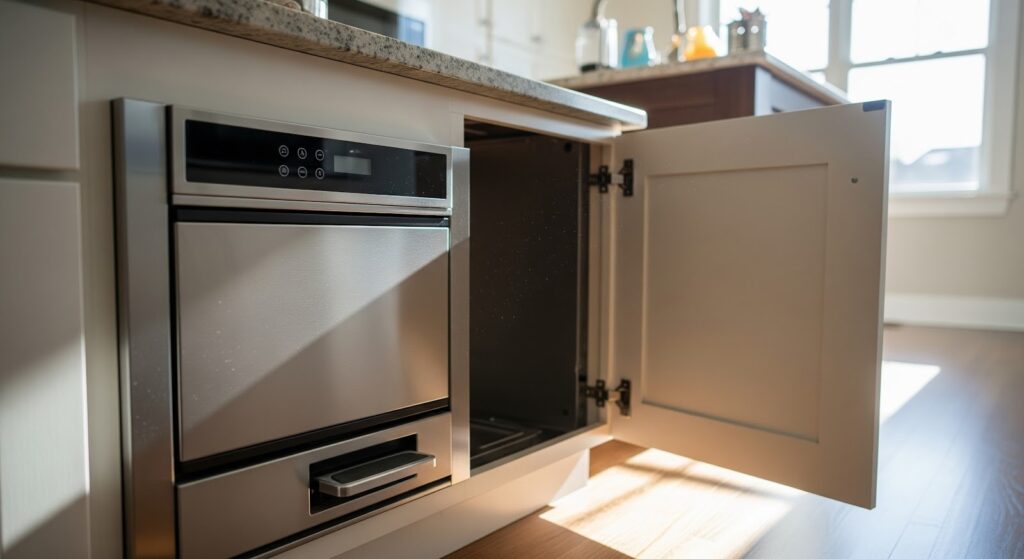
A trash compactor is a great time-saver when it’s working properly, but when it suddenly refuses to start or stops halfway through a cycle, it can be frustrating. The good news is that you can often identify and fix the issue yourself without calling a technician.
Here’s a simple troubleshooting guide to help you get your compactor back up and running.
Common Reasons a Trash Compactor Won’t Start
When your compactor won’t run or stops unexpectedly, a few usual suspects could be to blame. Understanding them helps narrow down the problem faster.
- Faulty start switch – The start switch sends power to the motor. If it’s defective, the motor won’t activate.
- Defective safety switch – Most units have drawer or door switches that stop the compactor if the drawer isn’t fully closed.
- Broken drive chain or belt – If the motor runs but the ram doesn’t move, the chain or belt may be damaged or disconnected.
- Overheated motor – The motor can shut off mid-cycle to prevent overheating. Let it cool for 15–30 minutes before restarting.
- Jammed ram – Debris inside the compaction area can block the ram from moving freely.
- Loose wiring – Vibrations from use may cause connectors to loosen, interrupting power flow.
What You’ll Need
- Multimeter
- Screwdrivers
- Cleaning supplies
Safety First
Before you grab your tools, make sure you’re working safely. Appliances combine electricity, moving parts, and metal edges, so extra caution goes a long way.
Follow these important safety precautions:
- Disconnect the power. Always unplug your trash compactor or turn off the circuit breaker before inspecting or repairing it. This prevents accidental electric shock.
- Let it cool. If the unit has been in use, give it time to cool before you begin working.
- Use your multimeter wisely. Never test live voltage unless you’re confident in how to do so safely.
- Work slowly and carefully. Take your time to avoid mistakes and injuries.
- Work in good lighting. A bright, well-lit space helps you see and reach all parts easily.
- Keep the area clear. Remove clutter and keep pets or children away while you work.
- Stay dry. Do not touch internal components with wet hands or work in a damp area.
- Consult the manual. Check your user manual for model-specific safety or installation notes.
- Handle with care. Avoid using excessive force when removing or reattaching parts.
- Wear insulated gloves. Protect your hands from sharp metal edges and debris.
- Avoid exposed wires. Do not touch live terminals; use non-conductive tools or insulated gloves when handling wires.
- Take photos before disconnecting wires. Snap a quick photo or label connections to make reassembly easier and more accurate.
How to Troubleshoot a Trash Compactor That Won’t Start or Stops Mid-Cycle
Follow these steps to identify and fix common issues that prevent your trash compactor from starting or completing its cycle.
Step 1. Check the Power Supply
- Check that the trash compactor is plugged into a working electrical outlet.
- Test the outlet using a multimeter to confirm proper voltage.
- If the outlet has no power, check the circuit breaker or fuse and reset or replace if needed.
- If the outlet shows incorrect voltage, contact a licensed electrician.
Step 2. Inspect the Plug and Power Cord
- Unplug the trash compactor before inspection.
- Examine the power cord for cracks, burns, cuts, or fraying.
- Check for loose prongs on the plug.
- Flex the power cord gently to detect internal breaks.
- Replace the power cord if any damage is found. Do not attempt to repair it.
Step 3. Examine the Front Door Safety Lock Switch
- Disconnect the compactor from power.
- Locate the front door safety lock switch near the latch or hinge.
- Check the switch for cracks, burns, or loose connections.
- Use a multimeter in continuity mode to test the switch.
- Replace the safety lock switch if it does not show continuity when the door is closed.
Step 4. Check the Drawer Position
- Make sure the drawer is fully closed and not open more than one-quarter inch.
- Check that the drawer latches securely. Adjust or replace the latch if needed.
- Remove debris or obstructions preventing the drawer from closing completely.
Step 5. Inspect the Motor and Ram
- Observe whether the compactor starts but stops mid-cycle, which may indicate an overloaded motor.
- Locate the ram (metal compacting plate) and try gently lifting it by hand.
- Remove trash or objects jamming the ram’s movement.
- Clear all obstructions and confirm the ram moves freely.
- Plug the compactor back in and test to see if it completes a full cycle.
Step 6. Final Test
- Reconnect the trash compactor to power.
- Run a complete cycle to verify that it starts and runs to completion.
- If the unit still fails to start or stops mid-cycle, contact a professional technician for further diagnosis.
When to Call a Professional
DIY troubleshooting can solve many problems, but some repairs are better left to a technician. You should schedule a service call if you notice any of the following:
- A burning smell or visible smoke
- Repeated tripping of the circuit breaker
- Signs of melted wiring or components
- The motor hums, but the ram doesn’t move even after cleaning and checking the switches
- Electrical sparks or popping sounds when powering on
- Cracks or warping in the compactor frame
Professional technicians can test components safely and replace parts that require specialized tools or electrical work.
Before You Go
A little patience and a few simple checks can save you the cost and hassle of a service call. Most mid-cycle issues come down to power problems, safety switches, or something stuck in the ram. Once you’ve gone through these steps, your compactor should be ready to handle daily use again. If it still gives you trouble, that’s when a professional’s tools and experience come in handy. For now, you can feel confident tackling the basics yourself and keeping your kitchen running smoothly.