If your LG microwave’s turntable has stopped spinning, the motor might be the problem. Instead of replacing the entire microwave, you can swap out the faulty motor in just a few minutes.
Quick diagnosis table
Rule out a damaged coupler or tray first, then the motor is the usual culprit.
| Symptom detail | Likely cause | What to check | Fix or part |
|---|---|---|---|
| Turntable never spins | Failed turntable motor | Coupler and tray for damage | Replace turntable motor |
| Spins, then stops randomly | Motor failing intermittently | Watch tray during a test cycle | Replace turntable motor |
| Grinding or clicking underneath | Worn motor | Listen below the floor of cavity | Replace turntable motor |
| Food heats unevenly | Tray not rotating | Confirm tray turns when running | Replace turntable motor |
| Tray turns by hand, not in use | Motor not driving coupler | Coupler seated on motor shaft | Replace turntable motor |
| Still no spin after new motor | Wiring, control board, or door switch | Wire harness connection to motor | Check wiring and door switch |
Common Signs of a Faulty Turntable Motor
Before replacing the turntable motor, confirm that it’s the actual problem by looking for these signs:
- The turntable does not spin at all, even when the microwave is running.
- The turntable moves inconsistently, stopping and starting randomly.
- You hear grinding or clicking noises coming from underneath the microwave.
- Food is heating unevenly due to a lack of rotation.
- The turntable moves freely when pushed by hand but won’t turn during operation.
- No visible damage to the turntable coupler or tray, ruling out mechanical obstructions.
What You’ll Need
- A compatible turntable motor (double-check your model before purchasing)
- Phillips screwdriver
- Putty knife
Safety First
Before starting any repairs, take precautions for your safety:
- Unplug the microwave or switch off the circuit breaker to avoid electric shock.
- Allow the appliance to cool if it has been in use.
- Work in a well-lit area to see and access the components clearly.
- Keep your workspace clear of obstacles, and keep children and pets away.
- Check the user manual for any specific instructions related to your microwave model.
- Handle parts carefully to prevent damage or injury.
- Wear insulated gloves to protect against sharp metal parts and debris.
- Avoid direct contact with wires and terminals. Use a non-conductive tool or insulated gloves when necessary.
How to Replace an LG Microwave Turntable Motor
Here are the steps to safely remove and replace the turntable motor in your LG microwave.
Preparation
- Unplug the microwave from the power outlet.
- Open the microwave door.
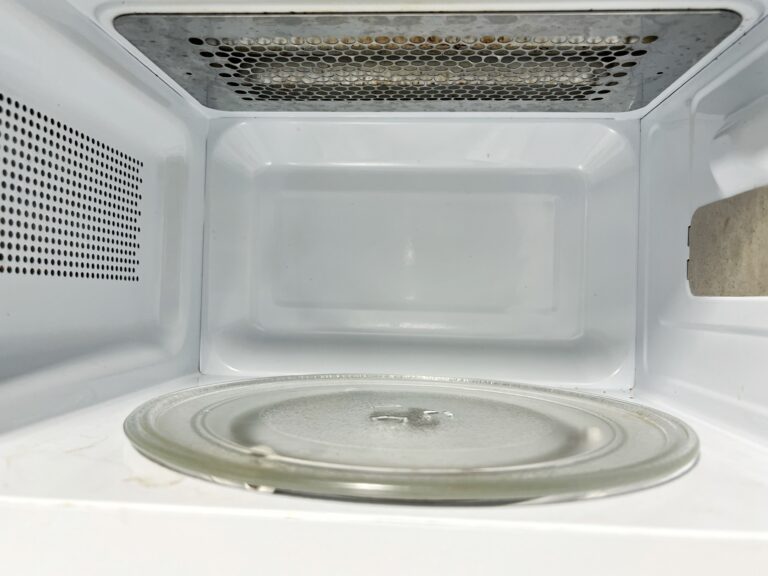
- Remove the glass tray and set it aside.
- Remove the support roller.
- Use a putty knife to remove the coupler.
Removing the Bottom Panel
- Close the microwave door.
- Locate the bottom panel of the microwave.
- Use a Phillips screwdriver to remove the screws securing the bottom panel.
- Carefully lower the bottom panel while supporting it to prevent it from dropping.
- Disconnect the wire harness for the light bulb on the panel.
- Set the panel aside.
Removing the Old Turntable Motor
- Locate the turntable motor.
- Disconnect the wire harness from the motor.
- Use a Phillips screwdriver to remove the screw holding the motor in place.
- Slide the old motor out.
Installing the New Turntable Motor
- Align the new turntable motor with the hole.
- Slide the new motor into place.
- Secure the motor with the Phillips screw.
Reattaching the Bottom Panel
- Line up the bottom panel so the lip on the panel fits into the lip on the microwave.
- Reconnect the light bulb wire harness.
- Secure the bottom panel with the Phillips screws.
Reassembling the Interior Components
- Open the microwave door.
- Align the coupler with the motor shaft and slide it in.
- Reinstall the roller support.
- Place the glass tray back in position.
- Close the microwave door.
Testing the Microwave
- Plug the microwave back into the power outlet.
- Place a small bowl of food or water inside the microwave.
- Run a short test cycle to check if the turntable rotates properly.
Preventing Future Turntable Motor Issues
After installing a new motor, a few maintenance habits can help extend its lifespan:
- Avoid overloading the turntable with excessively heavy dishes or containers.
- Use microwave-safe and properly sized-cookware to prevent strain on the motor.
- Regularly clean the turntable tray and coupler to prevent debris from causing resistance.
- Inspect the turntable for misalignment before running the microwave.
- Keep liquids from spilling into the turntable area, as excess moisture may cause electrical damage.
- Listen for unusual noises that may indicate wear or obstructions.
Related guides
Final Thoughts
A microwave that won’t spin might seem like a big problem, but replacing the turntable motor is a fast and affordable fix. With just a screwdriver and a little time, you can get your microwave working again without spending money on a new one.
Letting a broken motor go unchecked doesn’t just mean unevenly heated food—it can put extra strain on other parts over time. A quick repair now can help avoid bigger problems later. Plus, knowing how to fix this yourself means you won’t be stuck if it happens again.
If the turntable still doesn’t move after installing a new motor, there could be other issues, like wiring problems, a faulty control board, or a bad door switch. But for most cases, this fix gets the job done. Now, you can heat your food evenly without any extra hassle.
Once you know which part failed, find the matching microwave door switch parts by model number so the replacement fits the first time.