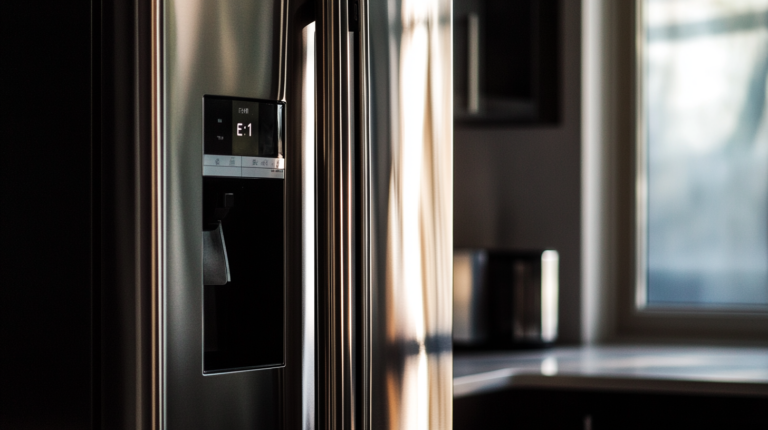
If your Frigidaire refrigerator is displaying an SY EF error code, it likely means the evaporator fan motor is having issues. This fan circulates air to keep the fridge cold, so when it fails, cooling performance suffers. Fortunately, with some basic troubleshooting steps, you can often diagnose and repair the problem yourself.
This guide will walk through how to safely access the evaporator fan, inspect it for damage, test components with a multimeter, clean debris buildup, and ultimately replace the fan motor if faulty. With proper maintenance going forward, you can avoid costly repairs when this common error code pops up.
Understanding the Evaporator Fan
The evaporator fan is an important part of your refrigerator’s cooling system. This section will help you understand:
- Where the evaporator fan is located and what its parts are
- The evaporator fan’s role in the fridge’s cooling process
- What happens when the evaporator fan motor fails
What is the evaporator fan & why is it important?
The evaporator fan is a small fan motor located in the freezer compartment, behind the rear wall panel. It is an essential part of the refrigeration system.
But what does it do exactly?
When your fridge is on and cooling, the evaporator fan pulls air across the evaporator coils. As the air passes over the cold evaporator coils, the moisture in the air condenses into frost. This is how the freezer compartment gets cold.
The now dehumidified air then circulates through the fridge compartment, absorbing heat and keeping your food chilled. Without the evaporator fan spinning to keep air flowing, the cooling process gets disrupted.
1. Location and components of the evaporator fan
The evaporator fan assembly sits behind a removable panel in the freezer compartment. It consists of:
- Fan blades attached to a hub
- Fan motor
- Wiring harness & connectors
- Fan housing mounted over evaporator coils
2. Function of the evaporator fan in the cooling process
To summarize, the key roles of the evaporator fan are:
- Circulate air across the evaporator coils
- Remove humidity from the air so frost can form
- Keep airflow moving through the fridge & freezer compartments
3. Consequences of evaporator fan motor failure
If the evaporator fan stops working, the cooling process also stops. Without any air circulation, both the fridge and freezer compartments will begin to warm up.
Food spoilage and thawing of frozen items can occur if the fan failure is not fixed promptly.
Common causes of evaporator fan failure
There are a few common things that can cause the evaporator fan motor to fail:
1. Debris, dirt, or mold buildup on fan blades
Dust, pet hair, and other debris accumulating on the fan blades can throw off the balance. This puts strain on the motor bearings.
Mold growth in humid environments can also seize up the spinning fan.
2. Wiring issues or damaged connections
Problems with the fan wiring like loose connectors, shorts, or electrical faults can prevent power from reaching the motor.
3. Frost buildup due to defrost system malfunction
The auto-defrost system in refrigerators normally melts away frost buildup from the coils. When this system fails, excessive frost can clog up the fan blades and cause them to freeze up.
Safety Precautions Before Troubleshooting
Working on any appliance comes with some safety risks. Let’s go over important safety steps first before tackling the SY EF error on your Frigidaire fridge.
A. Power off and unplug the appliance or switch off the circuit breaker
This is the most critical step. You want to avoid getting shocked by live currents when handling any components.
- Unplug the fridge from the wall outlet, or
- Locate the circuit breaker box and switch off the fridge’s circuit.
B. Allow the appliance to cool down before working on it
The compressor and evaporator coils can reach hot temperatures during operation. Give the appliance sufficient time to cool off to avoid burns.
C. Turn off the water supply and keep towels ready
The water dispenser line and ice maker water supply line should be switched off. Have some towels or buckets handy to catch any excess water still in the lines.
D. Work in a well-lit area and keep the workspace clutter-free
Good lighting lets you see everything clearly. Remove any obstructions around the fridge.
E. Use insulated work gloves and avoid touching exposed wires or terminals
Wear gloves for protection from sharp edges or cold surfaces. Be very careful when handling any wires or electrical terminals during testing.
F. Take photos or make notes of wiring connections before disconnecting
To make reassembly easier, document connector positions, wiring colors, and terminal locations before disconnecting anything.
Following basic safety measures prevents avoidable accidents and injuries. Now let’s look at the step-by-step process to troubleshoot the SY EF error code.
Troubleshooting Steps for the SY EF Error Code
Diagnosing and fixing the SY EF error requires methodically checking each component in the evaporator fan circuit. Let’s go through the complete step-by-step process:
Step 1: Access the evaporator fan assembly
Gaining access to the evaporator fan and housing is the first step. Here’s how to do it safely:
1. Unplug the refrigerator and locate the evaporator fan motor compartment
- Start by unplugging the fridge from the power source. This could either be unplugging from the wall outlet or switching off the circuit breaker.
- Next, look inside the freezer compartment. The evaporator fan is typically situated behind a removable panel or cover on the rear wall.
- Check your fridge’s user manual if you have trouble finding it. The location can vary across models.
2. Remove the screws holding the fan cover or panel
- Once you’ve located the fan compartment, you’ll need to take off the protective cover.
- Carefully note what screws are removed and their locations to make reassembly easier.
- Use a Phillips head screwdriver to fully loosen and remove any screws securing the panel.
3. Defrost the panel or fan if ice buildup or frost is present
- Over time, frost can accumulate on the fan blades and prevent the motor from spinning.
- Check for thick icy buildup before trying to remove the cover.
- Use a hair dryer on a gentle, cool setting to melt any ice. This avoids damaging the plastic components with excessive heat.
- Defrost slowly and carefully. Stop if you see water dripping as you want to avoid it leaking into other areas.
Step 2: Inspect the fan and wiring
With the cover off, you can now closely inspect the fan assembly and wiring:
1. Check if the fan blade spins freely without grinding noises
- Try rotating the fan blade by hand to check for any stiffness or scraping noises.
- The blade should spin smoothly if the bearings are still good. Grinding sounds indicate wear and tear.
2. Clean any debris, dirt, or mold buildup on the fan blades
- Wipe down the fan blades gently using a damp lint-free cloth.
- Built-up grime or dirt can throw off the blade balance and put extra strain on the motor.
- For moldy buildup, use a cloth lightly dampened with mild soap and water. Avoid getting any moisture into other fridge parts.
3. Inspect wiring harness connections and check for damage
- Make sure the fan motor connector is fitted tightly at both ends and shows no signs of damage.
- Look along the wiring harness for cracked or bare wires that may be shorting.
- Wires should not be frayed or look melted anywhere.
4. Look for signs of frost inside the refrigerator and around the evaporator coil
- If you notice excessive frost and ice formation on the fan, coils, and surrounding area, the auto-defrost system is likely not working. This can prevent the fan blades from spinning properly.
- Make a note to get the defrost system checked by a technician later on.
Step 3: Test the evaporator fan
The final step is to power up the fridge and use a multimeter to diagnose the fan circuit:
1. Plug in the refrigerator and enter diagnostic mode
- Consult your fridge model’s service manual on how to activate the diagnostics menu.
- For many models, pressing and holding certain button combinations on the control panel will work.
2. Activate the evaporator fan test
- The diagnostic mode will have an option to turn on the evaporator fan directly.
- This spins up the fan so you can observe and test operation.
3. Use a multimeter to measure voltage across the fan motor wires
- With the fan switched on in diagnostics, use a multimeter to check the voltage supply.
- Touch the multimeter probes to the fan power connector pins or wire terminals.
- You should get a reading around 120V if the circuit is intact.
4. If voltage is present but the fan doesn’t spin, the motor is bad and needs replacement
- If 120V is measured at the connector but the fan does not operate, the motor windings are likely damaged.
- The fan assembly will need to be replaced in this case.
5. If zero voltage measured, test the main control board and replace if faulty
- If you get 0V at the fan connector, power is not reaching the motor.
- The refrigerator’s main controller board is likely defective and will need replacement.
Prevention and Maintenance Tips
Once you’ve fixed the immediate issue, some simple maintenance can help prevent evaporator fan problems from recurring.
A. Regular cleaning of the evaporator fan and surrounding area
- Dirt and debris buildup on the fan can throw off balance and strain the motor over time.
- Use a soft brush or compressed air to clear dust from the fan blades and housing every 6-12 months.
- Gently clean any grime or mold growth using a damp cloth with mild detergent.
B. Ensuring proper defrost system functionality
- Faulty auto-defrost can lead to excessive frost preventing the fan blades from spinning.
- If you noticed heavy icing during repair, have a technician inspect the defrost timer, heater, and termination switch.
- Repair any defrost components that are not working properly.
C. Checking and replacing door gaskets to prevent air leaks
- Damaged or sagging gaskets allow warm air to enter the fridge, leading to extra frost buildup.
- Look for cracks, gaps or tears in the door seals.
- Replace worn door gaskets to maintain a tight air seal.
Doing periodic evaporator fan cleaning and defrost system checks can help add years of life to your refrigerator.
Let’s quickly recap the key maintenance tips:
- Clean the fan blades every 6-12 months
- Ensure the auto-defrost system is working
- Replace worn out door gaskets
Consistent maintenance prevents strain on the evaporator fan motor and avoids premature failure.
When to Call a Professional
While the SY EF error is often repairable with some DIY troubleshooting, there are times when it’s best to let a trained appliance technician handle it.
A. If you are uncomfortable working with electrical components
- If you don’t have experience testing live circuits, it’s better to avoid the risk of electrical shock.
- Let a professional test the fan motor wiring harness and main controller board connections instead.
B. If the issue persists after following the troubleshooting steps
- In rare cases, the error may still appear after you’ve replaced the fan.
- A technician can double check for any underlying issues you may have missed.
C. If you encounter any unexpected problems during the repair process
- If you notice any gas leaks, damaged refrigerator lines, or structural issues while completing the repair, stop work.
- An experienced appliance repairperson can properly inspect and address any other problems found.
Though a functional SY EF error is fixable at home, sometimes it’s smarter to hand things over to a pro.
If any of these scenarios apply to your situation, don’t hesitate to call an appliance repair company:
- You don’t feel comfortable testing and replacing electrical parts
- The error code persists even after fan replacement
- You discover additional damage or risks during DIY repair
Having a qualified refrigerator repair technician take over can:
- Save you from accidental injury or property damage
- Correct hidden issues you may overlook
- Provide expert troubleshooting and fix the problem the first time
Related guides
Conclusion
Understanding what the evaporator fan does and how to safely troubleshoot it is key to diagnosing and fixing the SY EF error yourself.
Let’s quickly recap the key steps:
- Learn how the evaporator fan works and where it’s located
- Take proper safety precautions before servicing
- Inspect the fan assembly and wiring
- Test voltage to the fan motor
- Replace the fan or control board as needed
- Perform preventive maintenance regularly
Following the troubleshooting, repair, and maintenance tips covered in this guide will give you the confidence to tackle that frustrating SY EF error on your Frigidaire refrigerator. With some fundamental appliance repair knowledge and the right safety gear, many common evaporator fan issues can be fixed at home without waiting for a repair person.
But if anything makes you unsure or uncomfortable when attempting DIY repair, don’t hesitate to call in a certified appliance technician. Some scenarios where it makes sense to have a professional take over include:
- You don’t have experience working with electrical components
- The error persists after replacement parts
- You discover additional damage or risks
Either way, you now have a better understanding of what causes the SY EF error, how to systematically diagnose it, and steps to prevent future evaporator fan problems. With the right know-how and precautions, you can save the cost and hassle of service calls for this common refrigerator fault.
With the cause confirmed, order the refrigerator evaporator fan motor parts for your exact model and keep the old part until the repair has passed a full cycle.