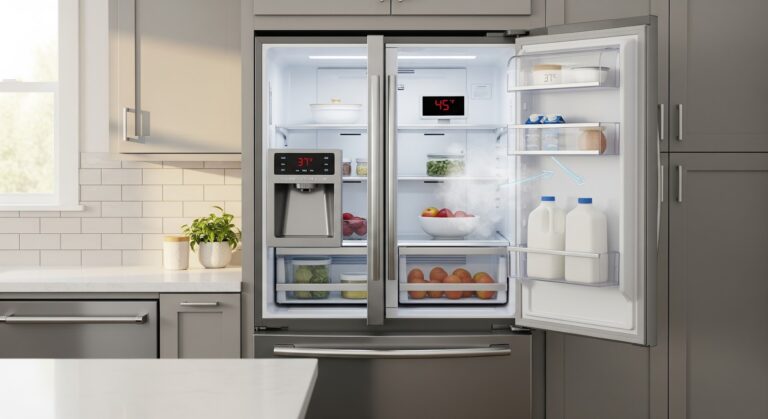
Dealing with a confusing error code on your refrigerator can be frustrating, but fixing the issue is possible! The ER FS error that sometimes appears on LG fridges indicates a problem with the freezer temperature sensor. This sensor monitors how cold the freezer is. When it malfunctions, the error code shows up, and cooling suffers. Don’t worry – with a few basic troubleshooting steps, you can diagnose and resolve the bothersome ER FS code.
This guide will walk you through checking connections, testing components, resetting the fridge, and safely replacing any faulty parts. With some patience and the right repair info, you can tackle that cryptic ER FS yourself and get your LG refrigerator working again!
What Causes the ER FS Error on an LG Fridge?
The ER FS error code on an LG refrigerator indicates a problem with the freezer temperature sensor. There are a few common causes for this error to show up:
Failing or Shorted Freezer Temperature Sensor
The freezer temperature sensor measures how cold the freezer compartment is. This allows the fridge to maintain the correct temperature. If the sensor is damaged or shorted out, the control board will give incorrect readings. As a result, the ER FS error appears.
Some signs of a bad freezer temp sensor are:
- The freezer is too warm or too cold.
- Frost buildup in the freezer.
- The ER FS error keeps coming back after resets.
Replacing the faulty sensor will likely fix the problem. Sensors can fail due to age or damage over time.
Loose Connection, Short, or Break in the Wiring
The wiring that connects the freezer sensor to the control board could also be the culprit. A loose connection can cause intermittent ER FS errors. The wires may have rubbed bare and shorted out. Or there could be a complete break in the wiring so the sensor cannot communicate properly.
Carefully inspect the wiring harness. Check for loose or corroded connectors, damaged insulation, shorts between wires, and complete breaks. Repair or replace wiring as needed.
Malfunctioning Main Control Board
In some cases, the main control board itself has failed. This is a less common cause of the ER FS error. The circuitry that interprets the freezer sensor readings could be damaged. So, even if the sensor and wiring are fine, the error persists.
If you have ruled out the sensor and wiring, the control board likely needs replacement. First try resetting the board before replacing it. The error could also be caused by a power surge.
Staying Safe When Repairing Appliances
Working on home appliances like refrigerators poses some risks. Be sure to take safety precautions to avoid electric shocks, burns, or injury. Here are tips to repair your LG fridge safely:
Power Off and Unplug the Fridge
This is the most important first step! Unplug the power cord from the wall outlet. If it’s hardwired, turn off the circuit breaker for the fridge. This cuts power to avoid electric shocks while working.
Turn Off the Water Supply
Shut off the water valves supplying water to the fridge. Locate the valve near the wall or under the sink and turn it clockwise to close. This prevents water leaks while you service the appliance.
Allow the Fridge to Warm Up
Let the fridge sit unplugged for 30 minutes before working. This allows the components and refrigerant lines to reach room temperature. You don’t want to risk burns from touching hot parts!
Work in a Clear, Well-Lit Area
Clear clutter and work with adequate lighting. This helps avoid accidents and makes small repairs easier to see. Use a work lamp if needed.
Wear Protective Gear
Use insulated gloves and safety glasses when servicing appliances. Gloves prevent shocks and burns. Glasses protect your eyes from debris. Wear closed-toe shoes in case you drop tools.
Take your time and be cautious when attempting repairs. Following basic safety steps makes appliance troubleshooting safer and prevents injury. Never rush the process or cut corners on safety!
Step-by-Step Guide to Fixing the Frustrating ER FS Error
Dealing with appliance errors can be confusing and frustrating. But don’t worry – this guide will walk you through the step-by-step instructions for fixing the ER FS error on your LG refrigerator. With a little time and patience, you can troubleshoot the issue on your own.
Step 1 – Thoroughly Check All the Wire Connections
Start by carefully checking all the wire connections related to the freezer temperature sensor and main control board.
- First, unplug the refrigerator from the electrical outlet. This is crucial for your safety before doing any troubleshooting.
- Also, shut off the water supply valve that leads to the fridge. You don’t want to cause a leak while working!
- Remove the back service panel or front control panel, whichever gives you access to the wiring harness and connectors.
- Check that the sensor wire connectors are fully plugged in at both ends. Loose connectors can definitely cause intermittent ER FS errors.
- Reseat any loose connectors by unplugging and firmly pushing back in. Clean the connectors with rubbing alcohol if dirty.
- Visually inspect the condition of all the wiring. Are there any sections pinched, frayed, cracked, or worn? Any signs of melting or damage?
- Be prepared to replace any faulty wiring. Have some 18 gauge appliance wire on hand before you begin.
Take your time checking connections – this simple fix could end up solving your ER FS issue!
Step 2 – Reset the Power to Refresh the Electronics
If the connections check out okay, try resetting the power to the fridge:
- Leave the fridge unplugged for 30 seconds to clear any glitches in the control board.
- Plug the power cord back in and restore the water supply.
- Turn on the refrigerator and listen for it to start cooling.
- Check if the ER FS error code appears again on the display.
Resetting the fridge essentially refreshes the electronics and clears any temporary errors. Many intermittent errors can be fixed with a basic power reset. Fingers crossed this works for you!
Step 3 – Test the Freezer Temperature Sensor
If you still see the ER FS after resetting the refrigerator, it’s likely the freezer temp sensor is malfunctioning. Testing the sensor is the next logical troubleshooting step.
- Unplug the appliance again for safety. Remove any necessary housing to access the main control board.
- Locate the freezer temp sensor – it connects to the board with two pins.
- Set your multimeter to resistance (Ohms) mode. Touch the probes to the two sensor pins.
- The resistance reading should be within the acceptable range – consult your fridge’s service manual for specs.
- If the resistance is way off, the sensor will need to be replaced. Order the correct replacement part for your model.
With the right tools, it’s easy to test components like sensors. This can confirm or eliminate the sensor as the issue.
Step 4 – Replace the Main Control Board
If the freezer sensor checks out fine, the problem likely lies in the main control board.
- With the fridge plugged in and the water supply on, turn on the power.
- Enter error code test mode if possible – instructions are model-specific.
- If the ER FS error persists on the display, the main board will need replacement.
As the brains of the appliance, the control board can certainly cause error codes like ER FS when it malfunctions. Only replace it after checking other components first.
Finishing Up the Repair Work
You’re almost there! After fixing the ER FS error, take a few more steps to safely wrap up the repair work on your LG refrigerator:
First, verify that the issue is fully resolved.
- Plug in the fridge and turn on the water supply.
- Allow time for the freezer to reach the set temperature.
- Check that the ER FS error code no longer appears. Monitor it for a while.
If the error code returns, double-check your troubleshooting steps. You may need to retry a step or replace another part. Don’t give up!
Once the fridge is cooling properly again, put all the housing and panels back on.
- Replace the service panel on the rear of the appliance.
- Reinstall any control board or temperature control covers.
- Check that panels are securely mounted with all screws and clips.
This protects the inner components and hides wiring and boards.
Do a final check that everything is back together properly. Clearing stored error codes can help prevent recurrence.
- Consult your owner’s manual to clear any stored error codes.
- This gives the fridge a fresh start after servicing.
- Run through a few test cycles to ensure proper cooling.
With that, you can rest easy knowing you skillfully fixed your own refrigerator! We hope these troubleshooting tips were helpful.
With the cause confirmed, order the refrigerator control board parts for your exact model and keep the old part until the repair has passed a full cycle.